


Red Book
4.33.00 Reviews
App Specs
- Version
- 2.8.47
- Updated On
- License
- Free
- Downloads
- 10,000+
- Developer
- Unbound Medicine, Inc
- Categories
- Medical
- Platform
- Android
Screenshots
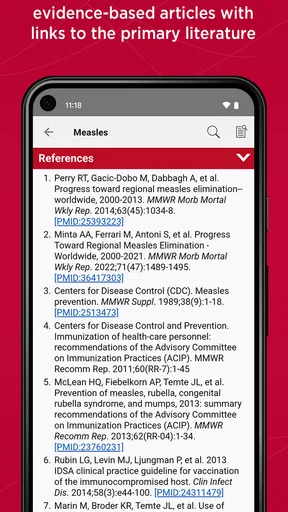
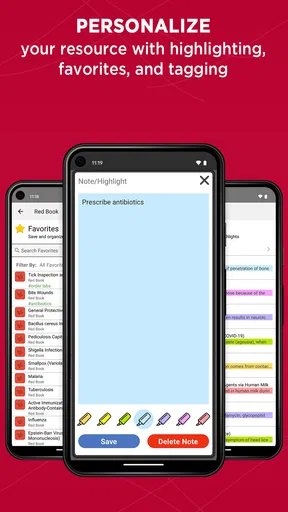
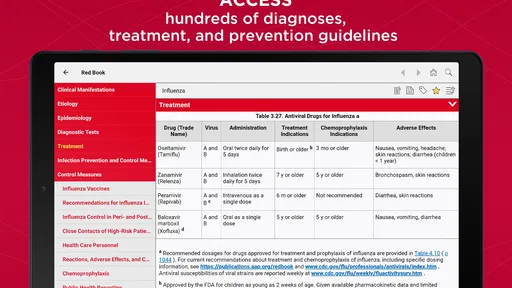
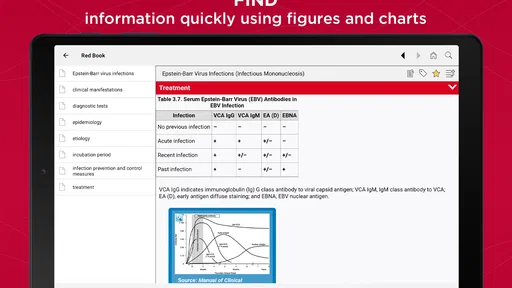
 Analysis by AppCompare
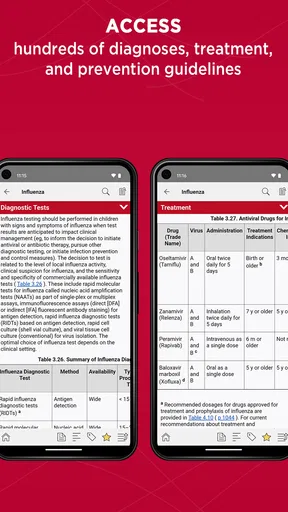
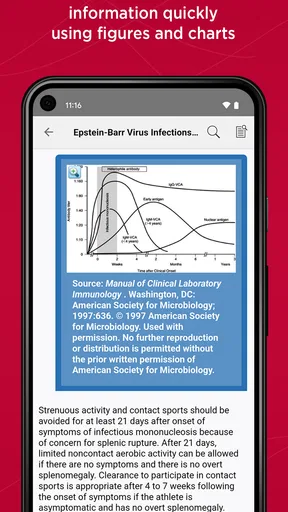
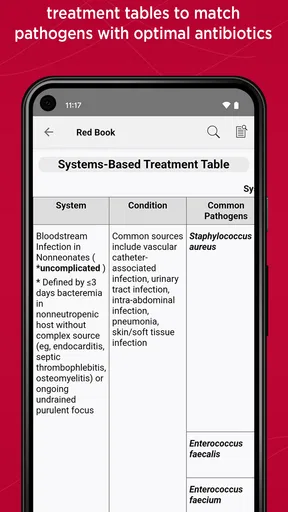
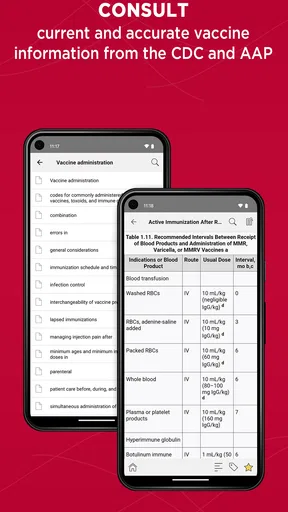
When I think of a pocket reference for pediatric infectious disease, I want more than a broad search result: I want material organized around the questions that arise while caring for children. Red Book is built for that focused role. It is a medical reference from Unbound Medicine, Inc, and its value is greatest when you need a specialist resource to consult alongside your clinical judgment, not a general-purpose health app or a substitute for direct patient care.
A specialist reference, not a general health guide
The name refers to a longstanding pediatric infectious disease resource. That focus is useful: instead of treating every medical topic as equally important, the app is aimed at clinicians and learners who need to look up infection-related guidance in a pediatric context. I would expect it to be most relevant during study, clinical preparation, or a targeted reference check, rather than for someone seeking explanations of everyday symptoms for personal use.
That distinction matters for parents and other non-specialists. Pediatric infections can involve decisions that depend on a child’s age, history, examination, and local clinical practice. A professional reference can help a qualified reader orient themselves, but it should not be treated as a diagnosis tool or as instructions for managing a child without medical advice. If you are worried about a child, contacting a healthcare professional is a better next step than relying on an app entry alone.
Where it earns its place in a clinical workflow
I find a dedicated reference most useful when I already know the subject area but need to check a detail before moving on. For example, a clinician preparing for a pediatric appointment might use the app to review an infection-related topic, then bring that information together with the child’s presentation and local protocols. A student could use it to revisit a subject after a lecture and identify which points need further study.
That kind of workflow is different from typing a symptom into a broad web search. General search results can mix patient advice, old material, and pages written for very different audiences. A focused pediatric reference gives its reader a more relevant starting point, though it still calls for careful interpretation. I would not use any single app entry as the whole decision-making process for a complex case.
A practical habit is to search with a clear clinical question in mind, note the specific point you need to verify, and then check it against the appropriate institutional guidance or a colleague when the case warrants it. This keeps a quick lookup from turning into overconfidence. The app’s specialist scope is an advantage when the question fits, but it does not make every answer complete for every patient or setting.
What to expect before relying on it
The Android app is free to install, has an average rating of 4.3 from around 54 ratings, and has been installed over 10,000 times. It is rated for Everyone 10+, and its current version is 2.8.47. Those details offer a little context about its availability and audience, but they do not establish whether it fits a particular clinician’s workflow. I would judge that by how easily the reference answers the questions you actually face.
Worth Reading Before You Choose

Flipboard Shows What News Apps Must Do Beyond the Feed

Switching to Android Auto Means Rethinking Your Driving Routine

Google Calendar Makes a Crowded Week Easier to Manage

Ludo King Makes the Most of the Minutes Between Plans

Baby Panda World Brings Quick Play to Modern Phones, but Its Game Library Feels Busy

ESPN’s Live Game View Makes Following Close Games Easier
There is also a meaningful cost consideration: in-app purchases are listed at $99.99 per item. I would check what access is included before treating the free download as equivalent to having the complete reference. If you only need an occasional look, that distinction may affect whether the app is worthwhile; if pediatric infectious disease is central to your work or study, a paid option may make more sense, provided it contains the material you need.
The app was released on November 17, 2021, and it requires Android 9 or later. That makes device compatibility a straightforward thing to check before installing, especially if you use an older phone or a managed work device. I would also consider how you prefer to consult medical references: a phone is convenient for a brief lookup, while a larger screen or a printed resource may be more comfortable for extended reading and comparing several topics.
Who will benefit, and who should look elsewhere
I would put this app on the shortlist for pediatric clinicians, trainees, and other health professionals who regularly need an infectious disease reference in their work or study. It is a more natural fit for someone with enough clinical background to interpret specialist material than for a person who wants plain-language advice about a child’s cold, fever, or rash.
It may also suit students who want a focused companion for infectious disease topics. A useful way to study with a reference is to start with a question from class or a case discussion, look up the relevant subject, and then write down what still needs clarification. That turns browsing into active review rather than passive reading. The app can support that routine, but it cannot replace teaching, supervised practice, or a wider collection of medical sources.
On the other hand, I would skip it if you mainly want a general medical encyclopedia, a symptom checker, or a parent-facing guide. Those needs call for resources written and structured for those audiences. I would also choose a different tool if your organization requires a specific reference or protocol; in clinical work, compatibility with local practice can matter more than having a familiar title on your phone.
My overall view
For the right reader, this is a focused way to keep a pediatric infectious disease reference close at hand. Its strongest appeal is the subject-specific purpose, not a promise that a quick lookup will settle a difficult clinical question. I would treat it as one useful layer in a broader workflow: consult it when the topic matches, verify decisions through appropriate professional sources, and keep the patient’s individual circumstances at the center.
My recommendation is therefore selective but positive. If pediatric infection is part of your clinical or academic life, try the free download and assess whether its available content and purchase options justify a place in your routine. If you are looking for personal medical advice or a broad reference across all areas of health, this is probably not the right starting point. The right match depends less on the app’s name than on whether its specialist scope answers the questions you need to ask.
If you are choosing between this and a general web search, I would start here for a pediatric infectious disease reference question, then confirm consequential decisions with the sources and people appropriate to your setting. If you are choosing between it and a local clinical protocol, follow the protocol when it governs your practice. That balance captures the app’s role well: a potentially useful specialist reference, not an authority that should stand alone.
If you're on the lookout for a new app that combines creativity, fun, and a bit of mystery, let me introduce you to Red Book. This intriguing app is all about exploring the unknown and diving into a world of surprises. So, buckle up as I walk you through my experience with this captivating application!
What is Red Book All About?
Imagine having a magic book in your pocket that answers your questions or guides you to new adventures. Red Book is exactly that but in digital form. Inspired by the classic "Red Book game," it offers a modern twist on an age-old phenomenon. The idea is simple: you ask a question, and the app provides an answer, leading you on a journey filled with unexpected twists and turns.
Getting Started: A Simple Setup
Installing Red Book is a breeze. Available on both Android and iOS, you can easily find it on your favorite app store. Once downloaded, you're greeted with a simple yet intriguing interface that sets the mood for the mysterious adventures ahead.
The app's design is both sleek and user-friendly. With a rich red color scheme and easy navigation, it invites you to start your journey without any fuss. The intuitive layout makes it easy for anyone, even if you're not particularly tech-savvy, to dive right in.
Features That Stand Out
One thing I love about Red Book is its interactive nature. It's not just about receiving answers; it's about the experience. As you ask questions, the app uses a mix of AI algorithms and a bit of whimsy to generate responses that feel personal and engaging.
- Voice Interaction: You can either type out your question or use the voice feature, which adds a fun, hands-free element to the experience.
- Social Sharing: Found an answer that's too good not to share? The app lets you easily post your discoveries on social media, engaging with friends and family.
- Daily Challenges: To keep things fresh, the app offers daily challenges that encourage you to explore new questions and scenarios.
The Fun Factor: Why You'll Love It
Now, let's talk about the fun factor. Red Book is perfect for those moments when you're bored and looking for a little entertainment. It's like having a virtual fortune teller, ready to spice up your day with mystery and intrigue.
I found myself getting lost in the app for longer than I'd like to admit. It's surprisingly addictive, especially when you're trying to decode the meaning behind some of the answers. Plus, the sense of community within the app is fantastic. Seeing how others interpret their answers adds an extra layer of enjoyment.
Some Considerations
While Red Book is a delightful app, it's essential to approach it with the right mindset. Remember, it's all in good fun, and the answers are meant to entertain rather than provide serious guidance. So, go in with an open mind and a sense of humor!
Occasionally, the app might throw you a curveball with an answer that seems a bit offbeat, but that's part of its charm. It's all about embracing the unexpected and enjoying the ride.
In conclusion, if you're looking for a quirky, engaging app that adds a bit of magic to your day, Red Book is worth checking out. Its blend of mystery, interaction, and community makes it a standout choice for anyone looking to escape the mundane and dive into a world of endless possibilities. So why not give it a try and see where your questions take you?
Ready to embark on your adventure? You can download Red Book from the App Store or Google Play today and let the mysteries unfold!
Pros
- Intuitive and user-friendly interface.
- Extensive library of classic literature.
- Offline reading mode available.
- Customizable reading settings.
- Frequent updates with new features.
Cons
- Limited contemporary book selection.
- Some features require in-app purchases.
- Occasional sync issues with bookmarks.
- Ads can be intrusive in free version.
- Limited support for audiobook formats.
FAQs for Red Book
What is the primary purpose of the Red Book app?
The Red Book app is designed to help users document and analyze their daily experiences and thoughts. It serves as a digital journal, offering tools for writing, organizing, and reflecting. The app is known for its intuitive interface and features that promote mindfulness and personal growth. Ideal for users seeking a convenient way to manage their mental well-being.
Is the Red Book app available on both Android and iOS platforms?
Yes, the Red Book app is available for download on both Android and iOS platforms. Users can easily find and install the app from the Google Play Store or the Apple App Store. This ensures that the app is accessible to a wide range of users, regardless of their preferred device.
Does the Red Book app offer any customization features?
The Red Book app provides a variety of customization options, allowing users to personalize their experience. Features include themes, font styles, and layout adjustments. These options enable users to tailor the app’s appearance and functionality to suit their individual preferences, enhancing the overall user experience.
Are there any subscription fees associated with the Red Book app?
The Red Book app offers both free and premium versions. The free version includes basic features, while the premium version, available through a subscription, unlocks additional functionalities such as advanced analytics, cloud backup, and ad-free usage. Users can choose the option that best fits their needs and budget.
How secure is the data stored within the Red Book app?
The Red Book app prioritizes user privacy and data security. It implements robust encryption methods to protect user data and offers options for password protection and biometric authentication. Users can feel confident that their personal information and journal entries are kept secure and confidential.


